Kismet
Про игру
Место в каталоге, подборки и покупка
«Kismet» — проект с акцентом на одиночное прохождение — для коротких вечерних сессий и нестандартных идей.
- одиночное прохождение
Где искать ещё
Для «Kismet» мы собрали 4 смежных списков («Топ игр Steam», «Новинки Steam» и др.) и материалы: системные требования, калькулятор «Пойдёт ли», FAQ и разбор лагов.
Где купить
Оформить «Kismet» можно в Steam — цена и скидки обновляются на карточке магазина.
- Бесплатно
Краткая информация о Kismet
Платформы
Теги Steam


Скриншоты Kismet


Системные требования Kismet — пойдёт ли на моём ПК?
Чтобы запустить «Kismet» на ПК, по данным Steam достаточно минимальной конфигурации: ос Windows 7 (64 Bit), озу 8 GB ОЗУ, видеокарта Nvidia GTX 970 / AMD 290 equivalent or greater, процессор intel i5-4590 equivalent or greater. По требованиям к памяти это типичный домашний компьютер прошлых лет — без запаса на максималки.
Если система на грани минимума, снизьте настройки графики и закройте фоновые приложения. Подробный разбор и калькулятор совместимости — по ссылке «Пойдёт ли» в меню страницы.
Минимальные требования
- ОС *: Windows 7 (64 Bit)
- Процессор: intel i5-4590 equivalent or greater
- Оперативная память: 8 GB ОЗУ
- Видеокарта: Nvidia GTX 970 / AMD 290 equivalent or greater
- Место на диске: 6 GB
- Поддержка VR: SteamVR or Oculus PC
Гайд и ответы по Kismet
Перед установкой «Kismet» — коротко по данным Steam Плюс ответы на частые вопросы.
Kismet на Steam Deck
«Kismet» на Steam Deck — статус Verified/Playable и на что обратить внимание в портативном режиме.
Verified — отлично работает на Steam Deck
Можно ли играть в Kismet без интернета
Можно ли играть в «Kismet» без интернета — одиночный режим, кооп и MMO по категориям Steam.
Да, по данным Steam доступен одиночный режим — игру можно проходить офлайн.
Сколько стоит Kismet в Steam?
«Kismet» распространяется бесплатно в Steam.
Kismet — есть ли поддержка геймпада?
У «Kismet» частичная поддержка геймпада — не все действия могут быть на контроллере.
Сколько длится Kismet?
Steam не публикует официальное время прохождения «Kismet». Казуальные и indie-проекты вроде «Kismet» часто длятся от пары часов до 10–15 часов. В Steam у «Kismet» уже 127 отзывов — там часто пишут о длительности. Ориентируйтесь также на гайды и видео на YouTube.
Не запускается, вылетает, лагает — Kismet
О чём Kismet
Now available for non-VR PCs!
A quick announcement from Team Kismet: Since releasing Kismet as a VR title, we have been extremely grateful to receive such a positive response. However, because there are so many more PC owners out there in the world who are still yet to adopt VR, we wanted to find a way to get Kismet to them as well. For that reason, we have added in a third launch option, in addition to HTC Vive and Oculus Rift -- a new non-VR version. We have also dropped the price and added subtitles for English, French, Spanish, German and Japanese. (VR versions will also now feature these subtitles.)
The below description is still accurate to the game, and anyone on Steam who has purchased Kismet in the past or purchases it in the future will have access to the VR and non-VR versions.Would you like to know what the future holds in store for you?
Put on your Oculus Rift or HTC Vive headset and take part in a first-of-its-kind VR experience: Kismet. Developed by award-winning creative studio Psyop, Kismet is a collection of three activities, including a past-present-future Tarot Card reading (“The Cards”), daily Astrology session (“The Stars”), and ancient boardgame Ur (“A Game of Wit”).
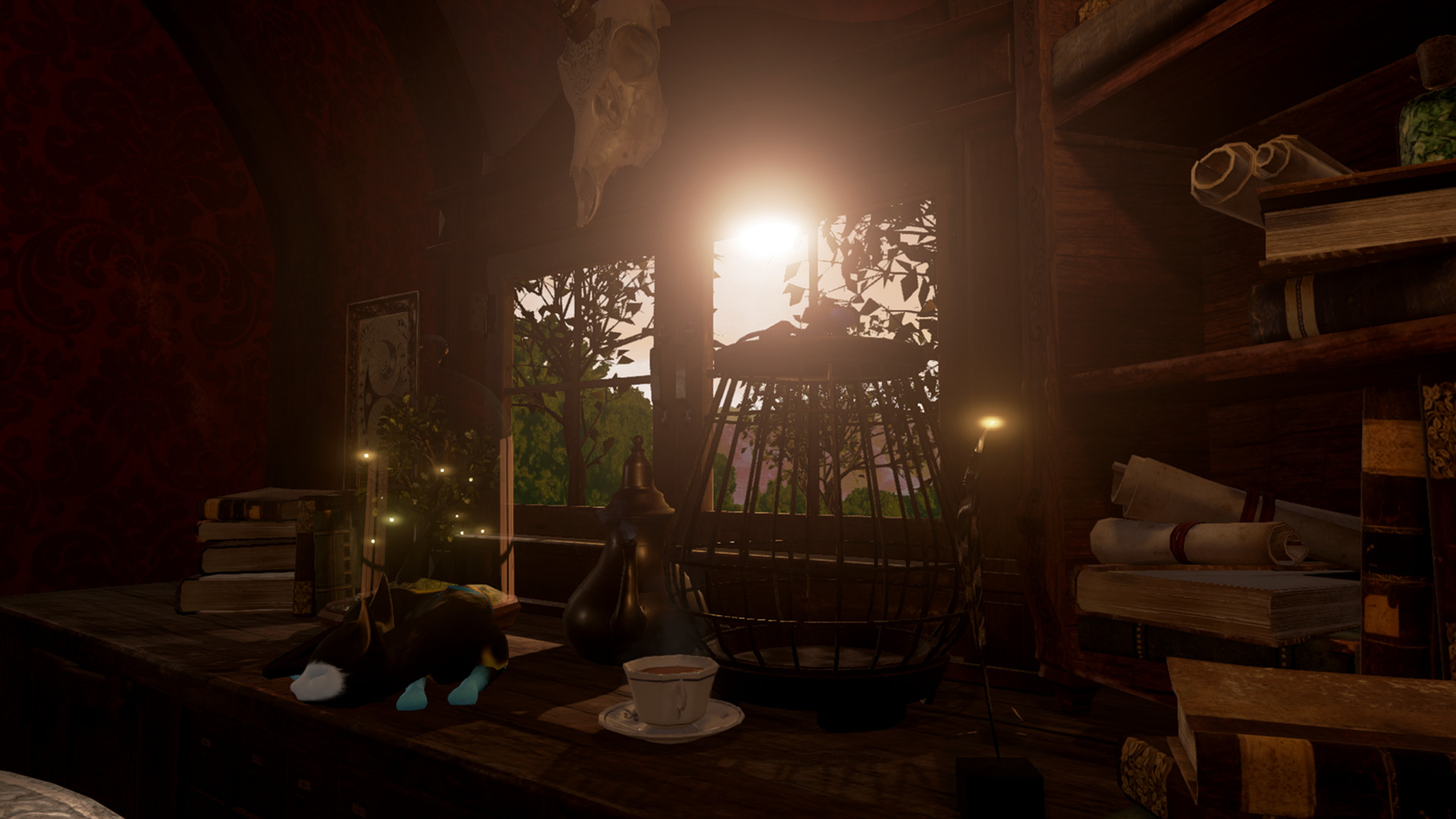
Powered by a deck of 22 hand-painted Tarot cards and an accurate real-time map of the solar system, Kismet is meant to be experienced daily, with unique outcomes that are directly tied to not only the cards that you choose, but your birthday and the actual alignment of celestial bodies at the time of your reading. Seated across a table from an enchanted automaton with the power to look into the future, you’ll be transported to a place where magic is real, brought to life in a beautifully detailed, handmade, Gothic style.
• Attention Oculus Rift Users:
Kismet is available in two versions, one for Vive and one for Rift. To launch the Rift version, you need to find the game in your Library, right click it, and launch it in the "Other VR" mode (as opposed to Vive mode). If you accidentally launch Vive mode, such as through an icon created during the game's Steam installation process, the game will be unable to find your Xbox controller.
• Attention HTC Vive Users:
Because Kismet is a sitting experience in a room scale environment, we recommend that you find a comfortable place to sit down and then reset your seated position at that point. To do that on the Vive, push the bottom button on your motion controller to bring up the Steam menu, aim at the Settings cog at the bottom of the menu, pull the trigger, and select "Reset Seated Position" from the General VR Settings menu. After that, you can move your head around to inspect the details of the environment and take advantage of positional audio within the experience.
• Kismet is designed to work with each individual headset's bundled controllers. On Vive it is compatible with motion control, on Rift it is compatible with Microsoft Xbox One gamepad.
• Kismet has multiple graphics quality settings which are bound to the keyboard. The Lowest quality setting is mapped to the "1" key, Medium is set to "2", and…