
Rated Sudoku
Про игру
Место в каталоге, подборки и покупка
«Rated Sudoku» — проект с акцентом на одиночное прохождение — для коротких вечерних сессий и нестандартных идей.
- одиночное прохождение
Где искать ещё
В PlayGuide «Rated Sudoku» открывается через 3 подборок («Новинки Steam», «Игры для слабого ПК» и др.). Плюс на этой странице — требования к ПК, скриншоты, FAQ и типичные ошибки запуска.
Steam и платформы
Оформить «Rated Sudoku» можно в Steam — цена и скидки обновляются на карточке магазина.
- 299 ₽
Краткая информация о Rated Sudoku
Платформы
Теги Steam


Сообщество и сервисы Steam — Rated Sudoku
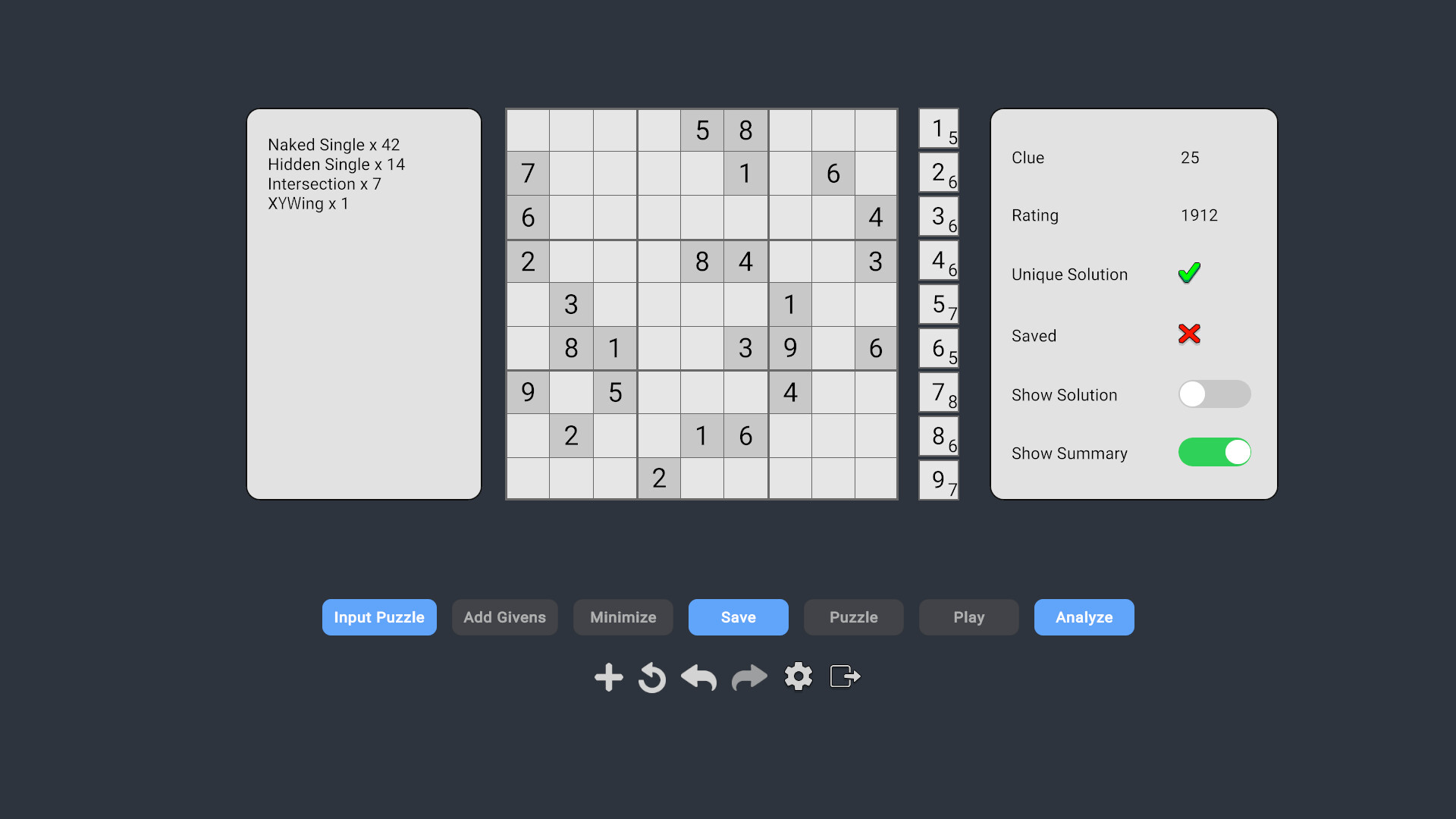
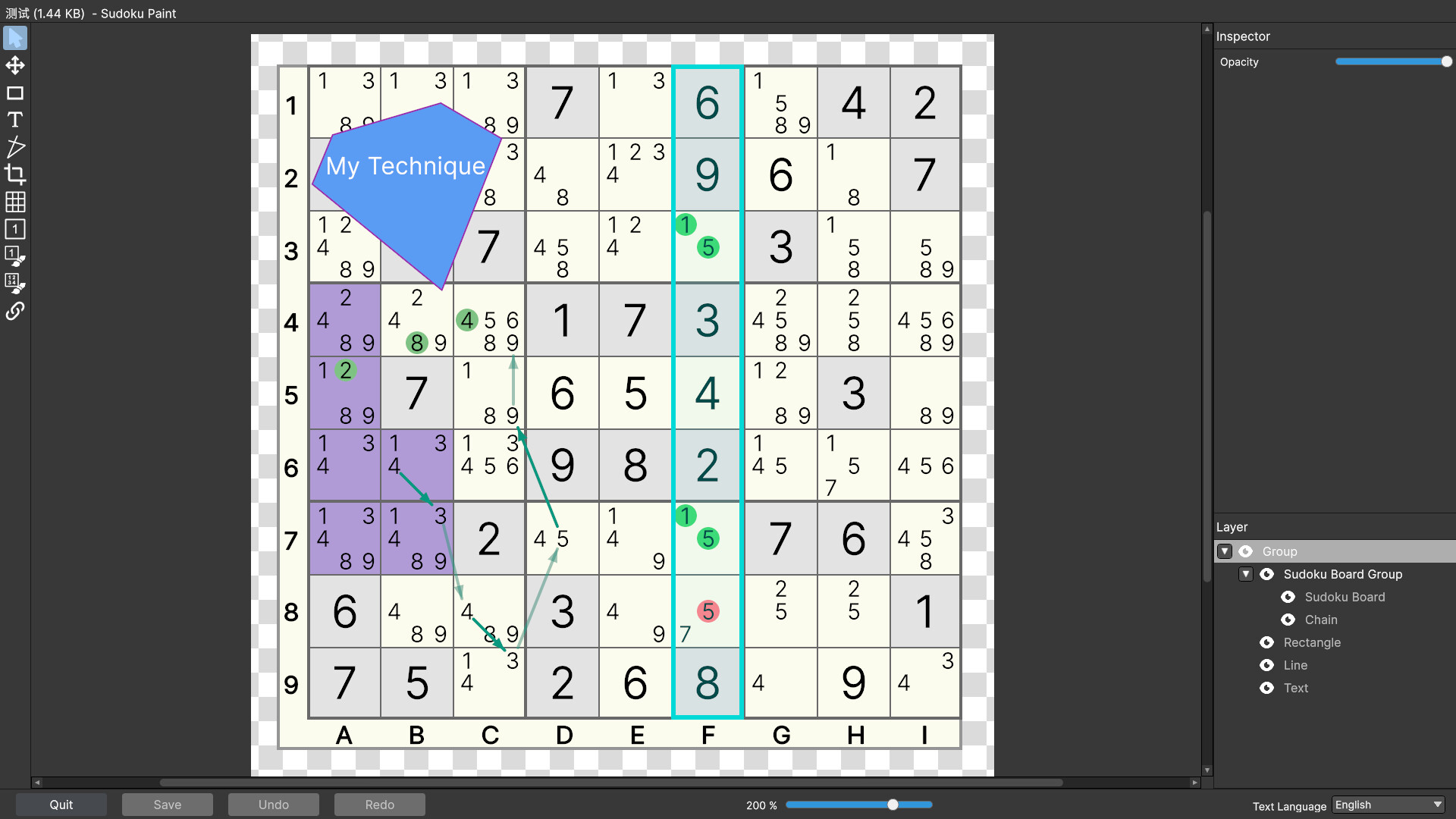
Скриншоты Rated Sudoku





Системные требования Rated Sudoku — пойдёт ли на моём ПК?
Чтобы запустить «Rated Sudoku» на ПК, по данным Steam достаточно минимальной конфигурации: ос Windows 10, озу 4 GB ОЗУ, процессор Intel Core i3-6100 / AMD Ryzen 3 1200, место на диске 1 GB. По требованиям к памяти это очень скромный по нынешним меркам ПК.
Для комфортной игры без просадок разработчик рекомендует: озу 8 GB ОЗУ, процессор Intel Core i5-6500 / AMD Ryzen 5 1500X. Разрыв по ОЗУ (4 → 8 ГБ) обычно чувствуется в стабильности FPS. Точный расчёт под ваше железо — в разделе «Пойдёт ли на моём ПК».
Минимальные требования
- 64-разрядные процессор и операционная система
- ОС: Windows 10
- Процессор: Intel Core i3-6100 / AMD Ryzen 3 1200
- Оперативная память: 4 GB ОЗУ
- DirectX: версии 11
- Место на диске: 1 GB
Рекомендуемые требования
- 64-разрядные процессор и операционная система
- ОС: Windows 10
- Процессор: Intel Core i5-6500 / AMD Ryzen 5 1500X
- Оперативная память: 8 GB ОЗУ
- DirectX: версии 11
- Место на диске: 1 GB
Гайд и ответы по Rated Sudoku
Практичные ответы: пойдёт ли на ваш ПК, сколько весит, есть ли русский и можно ли без интернета Плюс ответы на частые вопросы.
Есть ли русский в Rated Sudoku
Локализация «Rated Sudoku»: ниже — что именно переведено на русский, а что остаётся только на английском.
Русский язык в списке Steam не найден — вероятно только другие языки.
Rated Sudoku на Steam Deck
Стоит ли брать «Rated Sudoku» в дорогу на Deck — ниже статус из Steam и типичные ограничения по производительности.
Playable — играбельно на Steam Deck
Можно ли играть в Rated Sudoku без интернета
Можно ли играть в «Rated Sudoku» без интернета — одиночный режим, кооп и MMO по категориям Steam.
Да, по данным Steam доступен одиночный режим — игру можно проходить офлайн.
Сколько длится Rated Sudoku?
Steam не публикует официальное время прохождения «Rated Sudoku». Казуальные и indie-проекты вроде «Rated Sudoku» часто длятся от пары часов до 10–15 часов. Ориентируйтесь также на гайды и видео на YouTube.
Поддерживает ли Rated Sudoku геймпад?
«Rated Sudoku»: явной поддержки геймпада в Steam нет — уточните в описании или отзывах.
Сколько места занимает Rated Sudoku на диске?
По данным Steam, «Rated Sudoku» занимает около 1 GB на диске. Заложите запас на сохранения, моды и обновления.
Не запускается, вылетает, лагает — Rated Sudoku
О чём Rated Sudoku
Rated Sudoku helps you learn faster and sharpen your Sudoku skills with a powerful set of tools for every part of the Sudoku experience, from playing and analyzing to editing, generating, and painting.
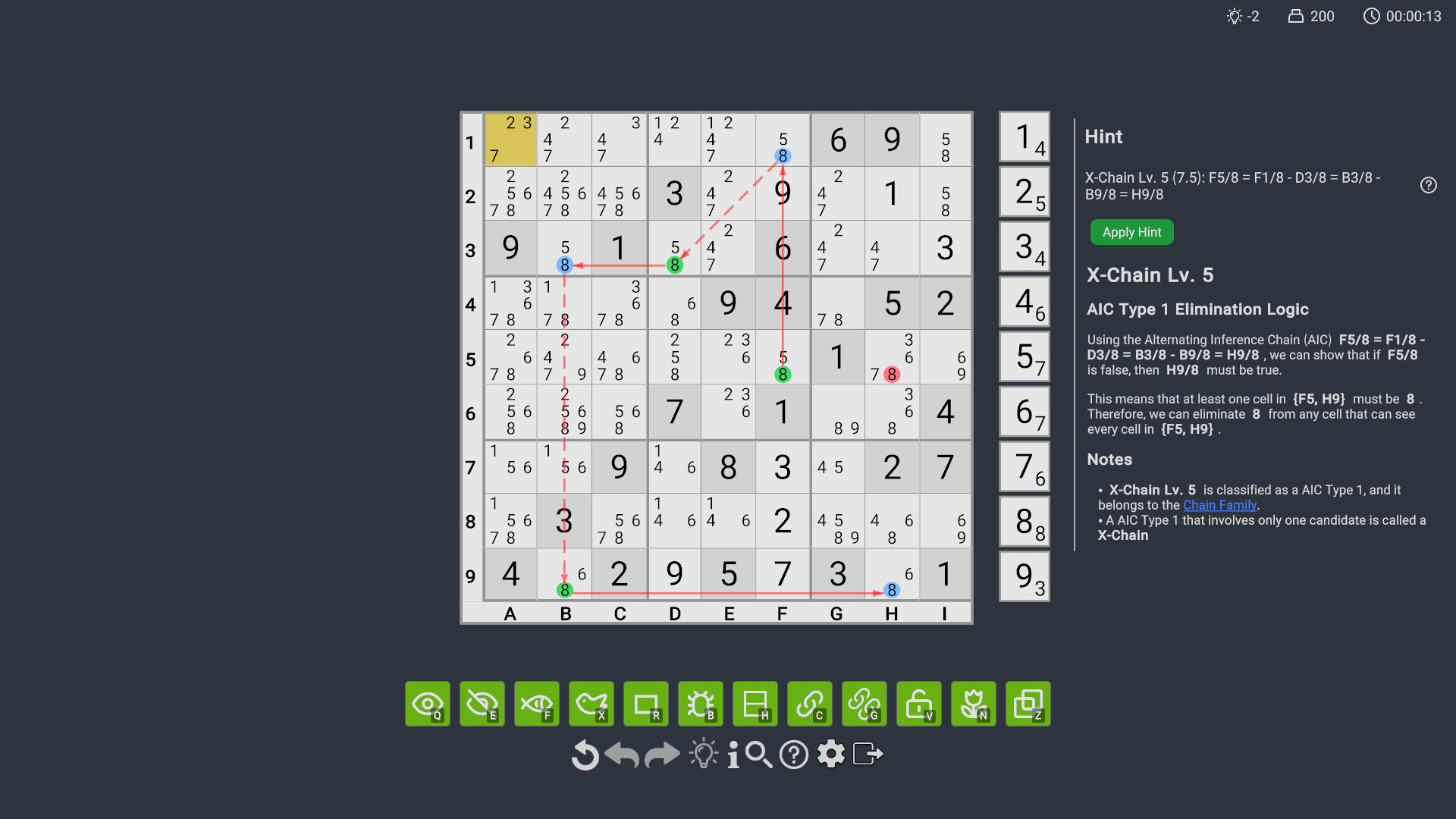
Built on a high performance solving engine, our Analyze Screen identifies complex techniques quickly — much faster than typical Sudoku games.
Note: This game supports ONLY standard 9x9 Sudoku rules. No variants (e.g., Killer Sudoku) are included.
Note: It is NOT recommended to play this game on Steam Deck.
Hint System - Help When You Need It Most
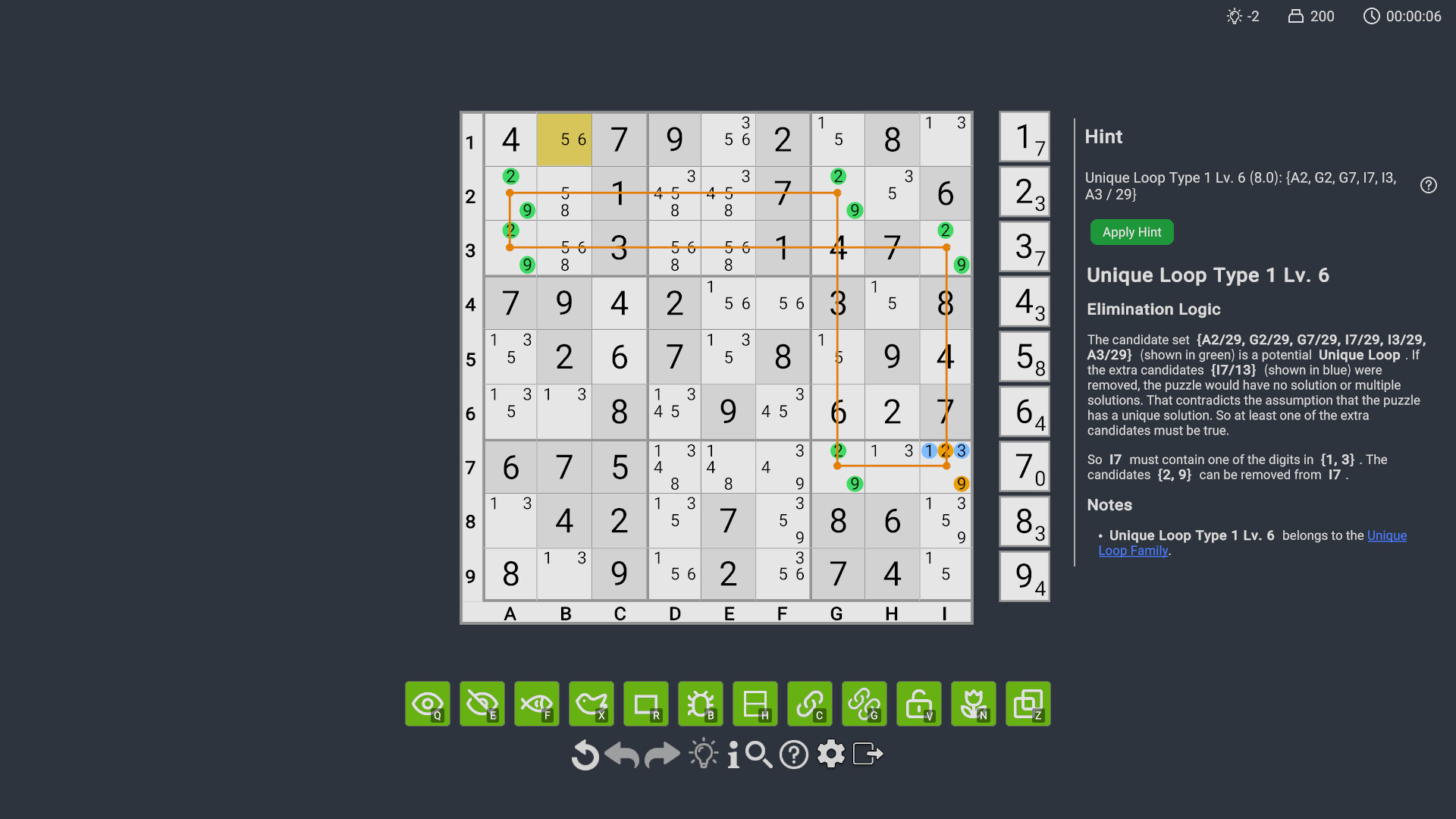
Stuck on a puzzle? Get help right from the Play Screen. The game offers two levels of hints: vague hints and detailed hints. Click the hint button once to receive a vague hint with partial highlighting, giving you a chance to spot the technique on your own. Click it again to reveal a detailed hint with full highlighting and a full explanation. The explanation is detailed enough that you might even learn the technique on the spot.
Play - Efficient Input System
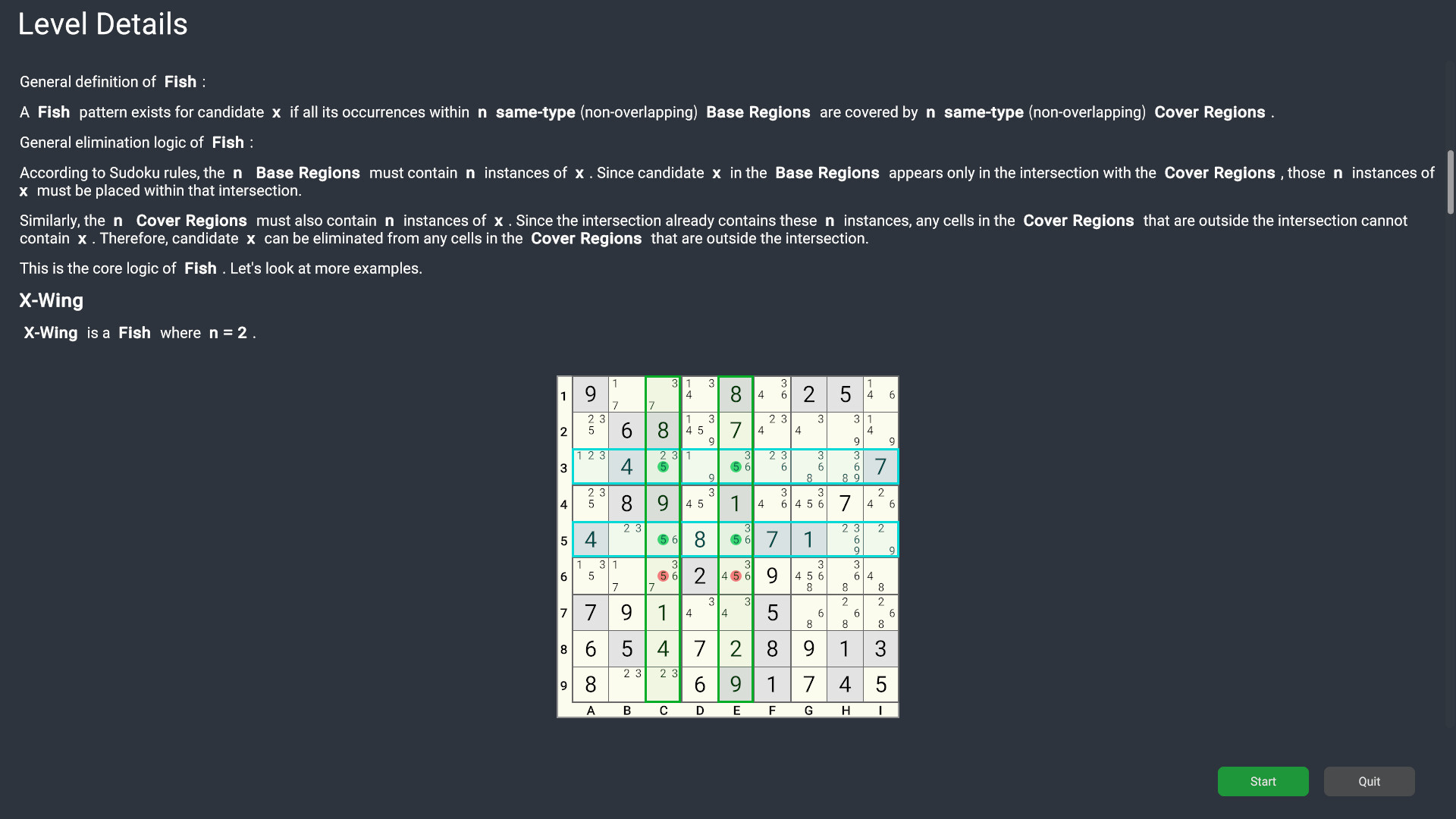
Tired of slow manual input of candidates and making mistakes? Our unique skill input system revolutionizes the way you play Sudoku. Simply spot a pattern like an X-Wing, select a relevant cell, click the "Fish" skill, and watch the eliminations happen automatically. No more manual candidate management or fear of errors—the game handles the work, letting you focus on the fun of solving. If the skill doesn't apply to the cell, nothing will happen, ensuring a completely error-free experience.
Campaign - From Beginner to Advanced
Whether you're a complete novice or looking to sharpen your skills, our campaign mode helps you build your Sudoku skills step by step. We guide you from the absolute basics to intermediate and advanced strategies. Learn to spot Obvious/Hidden Singles, master Hidden and Obvious Sets, and tackle complex patterns like X-Wings, XYZ-Wings, and Skyscrapers. With clear, easy-to-understand explanations, clear diagrams, and targeted practice puzzles, you'll understand the "why" and "how" behind every move.
Analyze - Study Puzzles
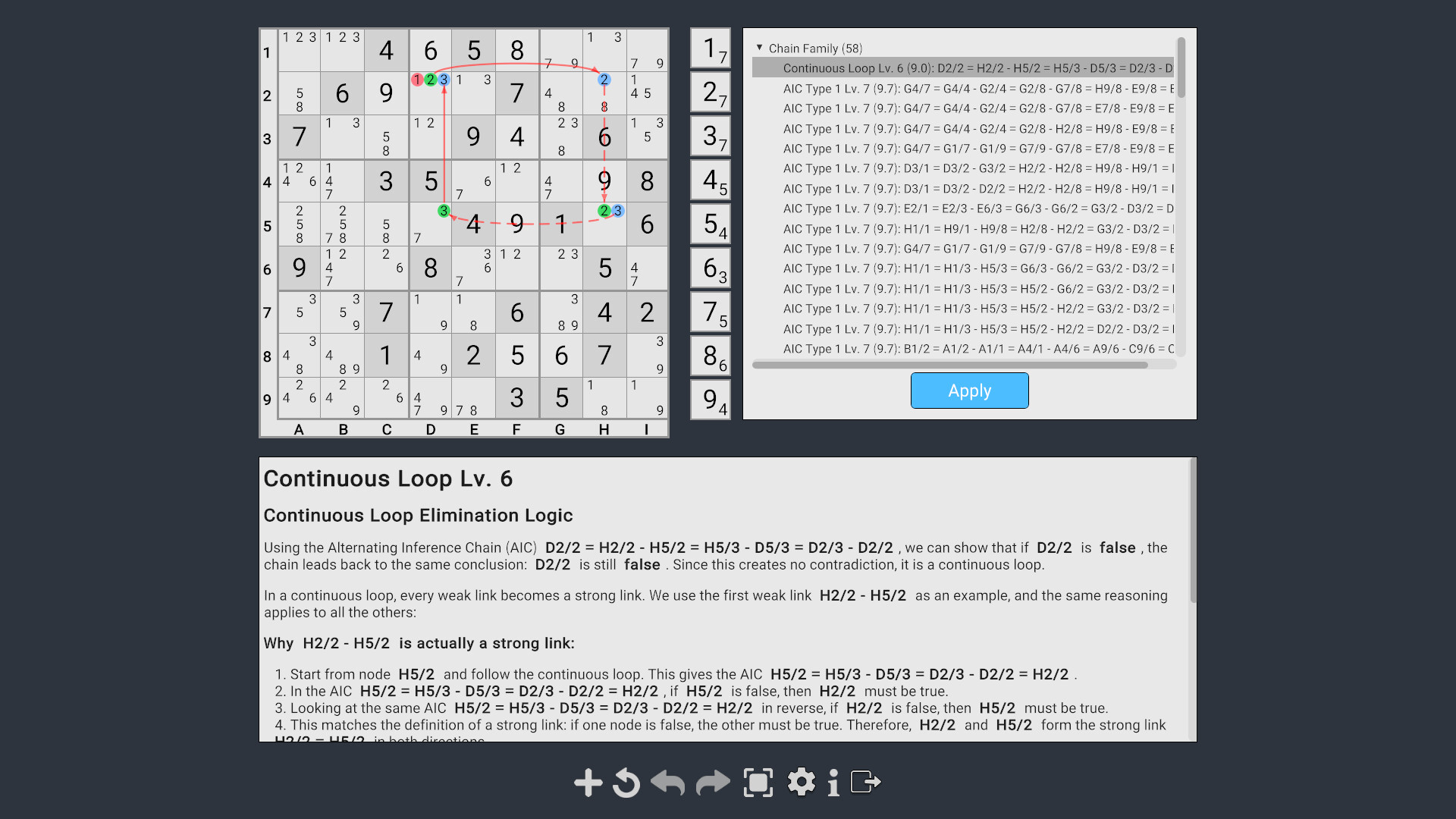
The Analyze feature searches the Sudoku grid to find all possible techniques that can be applied, along with text explaining the elimination logic. It's great if you want to learn how to solve a specific puzzle, or study specific techniques.
Master Techniques with Partial Puzzles
Want to master a specific technique like Hidden Triple? Our partial puzzles in Custom Game let you practice just that. You will be presented with a puzzle advanced to the exact point where you only need to find the pattern and do the eliminations. It's a very efficient way to practice specific techniques.
Sudoku Editor - Create Your Own Puzzles
Found a great puzzle you want to play? Want to design unique puzzles to challenge your friends? Sudoku Editor lets you create puzzles freely. Of course, if you prefer not to build them yourself, the generator creates fresh, high-quality puzzles on demand, from easy to expert. You can even choose symmetry patterns to create visually elegant and challenging puzzles.
Sudoku Paint - Create Sudoku Images
Create and share beautiful visual diagrams of your solving strategies. Use tools to highlight cells and candidates, draw chains, add text, and export your creations.
Supported Techniques
The game's play and analysis are based on our high performance Sudoku Solver, which supports a wide range of techniques, including:
• Obvious Sets (Obvious Singles, Pairs, Triples, etc.)
• Hidden Sets (Hidden Singles, Pairs, Triples, etc.)
• Fish Patterns (Pointing, Claiming, X-Wing, Swordfish, Jellyfish, Finned Fish, Mutant Fish etc.)
• XYZ-Wing Family (XY-Wing, XYZ-Wing, and generalized versions of XYZ-Wing)
• Unique Loops (including Unique Rectangle, Types 1-4, Type 6, Hidden Loop, Avoidable Loop etc.)
• Extended Rectangles (Types 1-4, Type 6, Hidden Extended Rectangle, Avoidable Extended Rectangle etc.)
• BUG Patterns (Bivalue Universal Grave - Types 1-4, Type 6, Hidden BUG etc.)
• AIC Chains (Alternate Inference Chains, including X-Chains, XY-Chains, Two-String Kite, Skyscraper, AIC Type 1, AIC Type 2, Continuous Loop, Discontinuous Loop)…