VoiceATC Simulator
Про игру
Место в каталоге, подборки и покупка
«VoiceATC Simulator» заточена под одиночное прохождение — для тех, кому важны реализм и погружение в процесс.
- одиночное прохождение
Подборки и ранг
«VoiceATC Simulator» попала в 2 тематических подборок PlayGuide («Новинки Steam», «Топ инди-игр») — ссылки ниже. Также на странице: требования Steam, блок «Пойдёт ли на моём ПК», FAQ и подборки по жанру.
Цена и платформы
Оформить «VoiceATC Simulator» можно в Steam — цена и скидки обновляются на карточке магазина.
- 465 ₽
Краткая информация о VoiceATC Simulator
Платформы
Теги Steam
Видео, стримы и гайды по VoiceATC Simulator


Сообщество и сервисы Steam — VoiceATC Simulator
Скриншоты VoiceATC Simulator


Системные требования VoiceATC Simulator — пойдёт ли на моём ПК?
Чтобы запустить «VoiceATC Simulator» на ПК, по данным Steam достаточно минимальной конфигурации: ос Windows 10 64 bit, озу 8 GB ОЗУ, видеокарта Direct3D 12 / Vulkan-compatible GPU, 2 GB VRAM or modern integrated graphics, e.g. GTX 1050 / RX 460 / Intel UHD 620, процессор 4-core x64 CPU with SSE4.2, AVX2 preferred, e.g. Intel Core i5-4590 / AMD Ryzen 3 1200. По требованиям к памяти это типичный домашний компьютер прошлых лет — без запаса на максималки.
Для комфортной игры без просадок разработчик рекомендует: озу 16 GB ОЗУ, видеокарта NVIDIA RTX 2060 6 GB+ recommended, or AMD RX 6600 8 GB+, процессор 6-core x64 CPU with AVX2, e.g. Intel Core i5-10400 / AMD Ryzen 5 3600 or better. Разрыв по ОЗУ (8 → 16 ГБ) обычно чувствуется в стабильности FPS. Точный расчёт под ваше железо — в разделе «Пойдёт ли на моём ПК».
Минимальные требования
- 64-разрядные процессор и операционная система
- ОС: Windows 10 64 bit
- Процессор: 4-core x64 CPU with SSE4.2, AVX2 preferred, e.g. Intel Core i5-4590 / AMD Ryzen 3 1200
- Оперативная память: 8 GB ОЗУ
- Видеокарта: Direct3D 12 / Vulkan-compatible GPU, 2 GB VRAM or modern integrated graphics, e.g. GTX 1050 / RX 460 / Intel UHD 620
- Место на диске: 10 GB
- Дополнительно: VoiceATC Simulator uses local speech recognition, local command parsing, and neural text-to-speech. Lower-end systems can run with lighter voice models or rule-based command parsing, while recommended specs target the full local voice experience.
Рекомендуемые требования
- 64-разрядные процессор и операционная система
- ОС: Windows 10 64 bit
- Процессор: 6-core x64 CPU with AVX2, e.g. Intel Core i5-10400 / AMD Ryzen 5 3600 or better
- Оперативная память: 16 GB ОЗУ
- Видеокарта: NVIDIA RTX 2060 6 GB+ recommended, or AMD RX 6600 8 GB+
- Место на диске: 10 GB
Гайд и ответы по VoiceATC Simulator
Практичные ответы: пойдёт ли на ваш ПК, сколько весит, есть ли русский и можно ли без интернета Плюс ответы на частые вопросы.
Есть ли русский в VoiceATC Simulator
Поддержка русского в «VoiceATC Simulator» — интерфейс, субтитры и озвучка по официальному списку языков Steam.
Русский язык в списке Steam не найден — вероятно только другие языки.
*озвучивание доступно на этих языках
VoiceATC Simulator на Steam Deck
Стоит ли брать «VoiceATC Simulator» в дорогу на Deck — ниже статус из Steam и типичные ограничения по производительности.
Статус Steam Deck не указан
Можно ли играть в VoiceATC Simulator без интернета
Перед поездкой без Wi‑Fi проверьте «VoiceATC Simulator» — ниже режимы из Store API Steam.
Да, по данным Steam доступен одиночный режим — игру можно проходить офлайн.
Сколько времени займёт VoiceATC Simulator?
Steam не публикует официальное время прохождения «VoiceATC Simulator». Ориентируйтесь также на гайды и видео на YouTube.
Можно ли играть в VoiceATC Simulator с контроллером?
«VoiceATC Simulator»: явной поддержки геймпада в Steam нет — уточните в описании или отзывах.
Какой объём скачивания у VoiceATC Simulator в Steam?
По данным Steam, «VoiceATC Simulator» занимает около 10 GB на диске. Заложите запас на сохранения, моды и обновления.
Не запускается, вылетает, лагает — VoiceATC Simulator
О чём VoiceATC Simulator
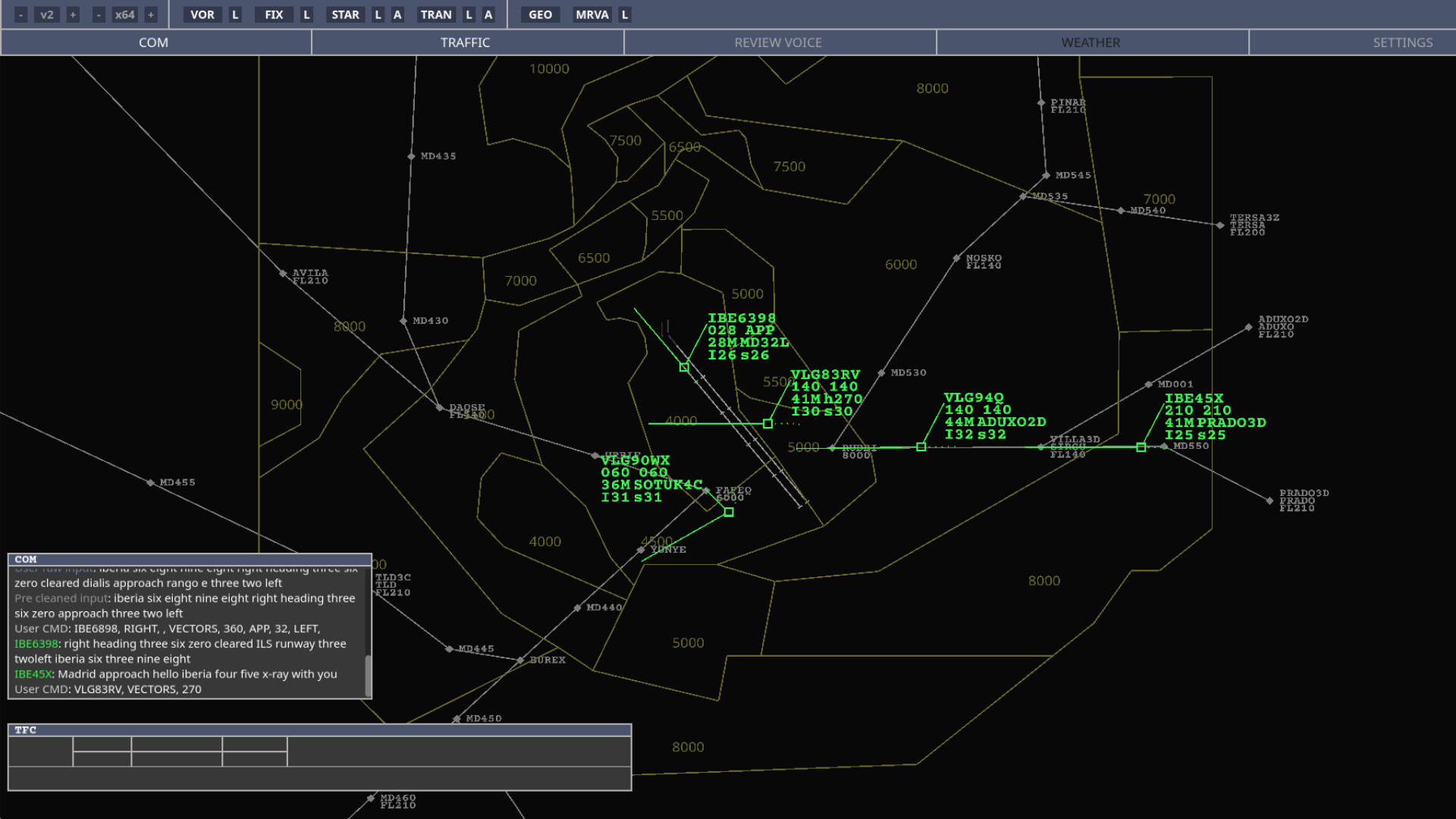
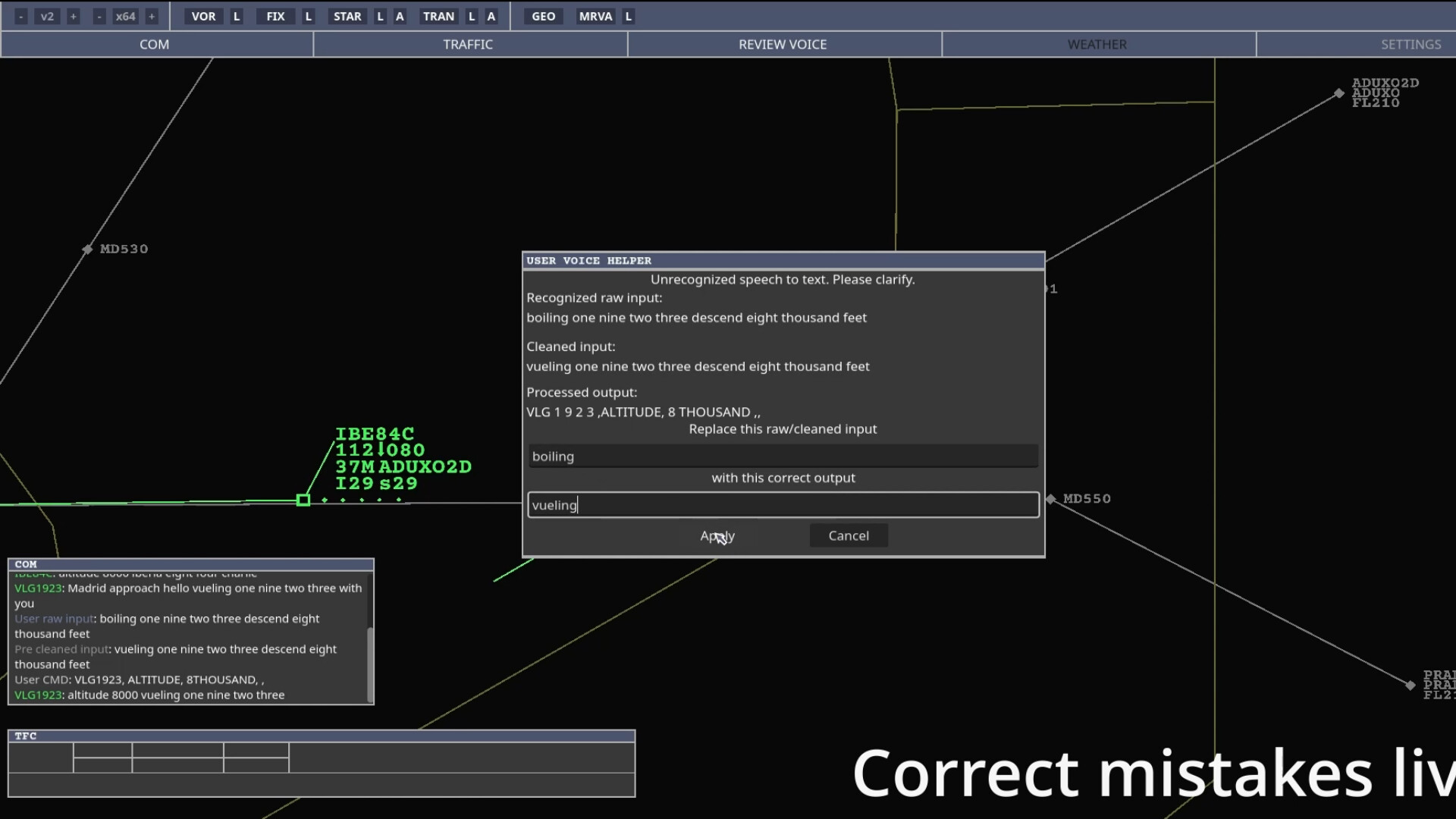
Become an Air Traffic Controller! Manage arrival and departure traffic using your voice or by clicking on aircraft labels. Give realistic instructions, vector aircraft, assign altitudes and speeds, clear approaches, use transitions, and land aircraft safely at their destination!
Navigation Data and Airports
VoiceATC Simulator supports Navigraph AIRAC data. Players with an active Navigraph subscription can use updated real-world procedures, runways, fixes, NAVAIDs and airport configurations at airports around the world.
Players without a Navigraph subscription can still play using the legacy AIRAC data included with the simulator. This means the game remains fully playable without any external subscription, although the navigation data will not be updated to the current AIRAC cycle.
• Updated AIRAC support through Navigraph
• Real-world airports using real navigation data
• Legacy AIRAC included for players without an external subscription
• Real procedures, runways, fixes and NAVAIDs
Video Tutorials
A written manual and video tutorials are included with the game, covering essential topics such as user interface navigation, aviation fundamentals, and gameplay mechanics. These tutorials provide clear explanations and practical demonstrations to help you get started with the simulator.
Realism
VoiceATC Simulator is a simulator, so the learning curve can be steep. It is designed primarily to be played with your voice, using aviation phraseology and realistic procedures.
You can set the traffic count per hour and manage your sector by giving vectors, altitudes, speeds, transitions, directs to NAVAIDs, approach clearances and other typical air traffic control instructions.
Minimum sector altitudes are implemented. If an aircraft violates the minimum altitude for a sector, a low altitude alert will appear.
Traffic is generated using real routes, real airlines and realistic callsigns, aiming to provide a credible experience for aviation enthusiasts and players who want to learn the basics of air traffic control.
Modding
The game is modding using Github. The community can create and share custom sectors and additional content. Game files are designed to be understandable, so creating your own scenarios is an important part of the simulator's potential. The modding community is very helpful in the Discord server!
Early Access…